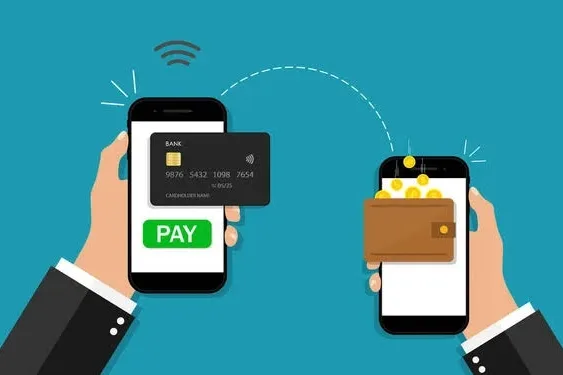
Hey, Nicole, do you have cash? Nicole says, oh no, I don’t! Money in the past used to live in purses, pockets, envelopes, under pillows and the most hilarious of it all, under the soil. But currently, our money now lives on screens, and that’s why when Nicole was asked if she had cash. She said No. Apparently, Nicole had saved all her money in a digital wallet and a bank account. What is a digital wallet? A digital wallet is an app on your phone that lets you store and use your money digitally. Instead of carrying cash, ATM cards and loyalty cards, You have it all contained in your phone. With a digital wallet, you can send money to friends instantly, receive money quickly and pay for subscriptions and online shopping. It is designed for speed and convenience. Leading examples of digital wallets in Nigeria are Paga, Chipper Cash, KongaPay, Firstmonie Wallet, PocketApp, Google Wallet, and eNaira Speed Wallet. The red flag for most digital wallets is, they are built for movement not long term storage. Most digital wallets don’t store large amounts of money long-term. Instead of carrying cash, ATM cards and loyalty cards, You have it all contained in your phone. With a digital wallet, you can send money to friends instantly, receive money quickly and pay for subscriptions and online shopping. It is designed for speed and convenience. Leading examples of digital wallets in Nigeria are Paga, Chipper Cash, KongaPay, Firstmonie Wallet, PocketApp, Google Wallet, and eNaira Speed Wallet. The red flag for most digital wallets is, they are built for movement not long term storage. Most digital wallets don’t store large amounts of money long-term. How to open a digital wallet These are the steps you can apply to open a digital wallet. Preparation Before you begin, make sure you have the things ready. You will need a working phone number, access to the Internet, and your personal details such as your full name, date of birth and Bank Verification Number (BVN). Having all these requirements ready will make the process quicker and smoother. Download the App If you are using an Android phone, go tqo Google Playstore or the Apple App Store if you are using an iPhone. Search for a trusted fintech app like Paga, Chipper Cash, KongaPay, or Firstmonie Wallet. Once you find your preferred app, download and install the official version on your phone. Initial sign-up Open the app and tap on SIGN UP or CREATE AN ACCOUNT tab. Enter your phone number, then wait for a One-Time Password (OTP) to be sent to you via SMS. Type in the OTP to confirm your number and continue with the registration process. Provide personal detail At this point, you will need to fill in your personal details. This includes your full name (exactly as it appears on your BVN), your date of birth, and your email address. You will also be asked to create 4 or 6 transaction digit PIN. This pin is very important because it will be used to approve payments and transfers. In some cases, you may be asked to upload a clear selfie or a profile picture to verify your identity. Verify BVN and upgrade account You need to enter your BVN so the app can confirm your identity with the central banking system. At first, your account may be on a basic level with lower transaction limits. To enjoy higher limits, you can upgrade your account by providing additional details such as your National Identification Number (NIN). Fund your wallet Once your account is set up, you will receive a wallet account number. You can move forward to add money to your wallet in different ways. Set up security For your safety, enable extra security features such as fingerprint or Face ID for quick and secure access. Always keep your account details private. Never share your PIN or OTP with anyone, no matter what. What is a bank account? A bank account is a secure place where your money is stored and managed by a bank. It is more structured and more stable. You can save money, receive salaries or allowances, withdraw cash from ATMs, and transfer money with a bank account. How to open a bank account Visit a Bank Near You Go to any bank branch close to you. Walk into the banking hall and let the customer service staff know that you would like to open an account. They will guide you on what to do next. Request and fill the account opening form You will be given a form to fill. Provide your correct personal details, such as your full name, date of birth, phone number, and home address. Make sure everything you write is accurate to avoid any issues later. Provide required documents You will need to submit some important documents like your National ID, Voter’s Card, Passport, Bank Verification Number (BVN) and a recent passport photograph. All these are for verification purposes. Some banks may also ask for proof of address. Complete verification (KYC) The bank will verify your details to confirm your identity. This process is known as Know Your Customer (KYC). Once your details are confirmed, your account will be created. Deposit money into your account After your account is opened, you may need to deposit a small amount of money to activate it. This can be done right at the bank counter. Receive your account details You will be given your account number, which you can use to receive money. Some banks may also give you a debit card immediately, while others may ask you to come back later to collect it. Set up security and access You may be asked to create a PIN for your debit card and register for mobile or internet banking. Always keep your details safe and never share your PIN with anyone. Key Differences Between Digital Wallets and Bank Accounts. A digital wallet and a bank account are both ways
Does faster internet actually exist? The truth about Mbps
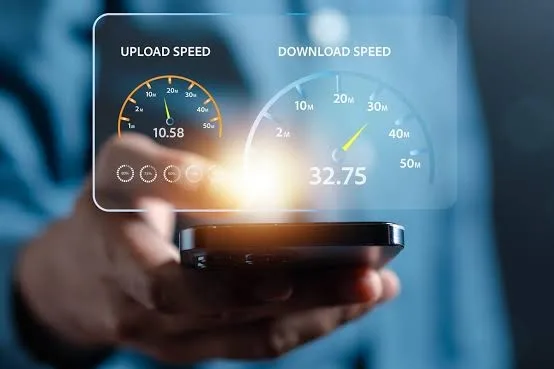
You have probably experienced this before. You pay for a fast internet plan. Your network provider promises high speed. Maybe they even say 100 Mbps, 200 Mbps, or something that sounds incredibly fast. Yet somehow, your videos take a long time to play. Your downloads feel very slow and when you try to upload something or join a video call, everything suddenly begins to slow down. The question many people rarely stop to ask is: “What does faster internet actually mean?” When your network provider promises 100 Mbps, 200 Mbps, what exactly are you getting? If two people pay for the same internet speed, why does one person’s internet feel fast while the other person struggles to load a simple webpage? Once you understand what Mbps really means, the mystery around internet speed will become much clearer to you. What is internet speed? When people talk about fast internet, they are usually talking about how quickly information travels between the internet and their device. Every time you open a website, stream a video, send a message, or download a file, data is constantly moving between servers on the internet and your phone or laptop. Internet speed simply measures how quickly your data moves. The faster the speed, the faster data travels to your device. The unit most internet providers use to measure this speed is called megabits per second, or Mbps. What is Mbps? (Megabits Per Second explained simply) Mbps is called megabits per second. It is the standard unit used to measure internet speed. Mbps tells you how much data your internet connection can transfer every second. To understand this properly, you need to understand the mystery of the bit. 1 Mbps = 1 million bits per second 100 Mbps = 100 million bits per second So when your internet speed is 1 Mbps, it means your connection can theoretically transfer one million bits every second. It may sound like a lot, but in internet systems, it is actually very small. Everything on the internet, photos, videos, music, messages and websites is made up of billions of these bits. Mbps vs Mbps This is where many people get confused, including me at first. You may see Mbps and MBps, because they look almost identical, but they are not the same thing. There is a difference; 1 byte is equal to 8 bits and 1 MBps means 8 Mbps. If your internet provider says your connection is 100 Mbps, the fastest download speed you will usually see is around 12.5 MB per second. Because 100 Mbps ÷ 8 = 12.5 MBps. It’s a little maths, but I bet you are going to get it. This is one of the main reasons people feel confused about their internet speed. Your internet plan might say 100 Mbps, but your download manager shows 12 MB/s, which looks way too small. Download speed vs upload speed When you look at an internet plan, you will often see two numbers like 100 Mbps / 20 Mbps but it represent two different speeds. Download speed Download speed is how fast data travels from the internet to your device. Download speed affects things like; streaming videos, browsing websites, downloading apps and listening to music. Most internet providers offer higher download speeds, because people usually download more than they upload. Upload speed Upload speed is how fast your data travels from your device to the internet. Upload speed is very important for activities like; video calls, uploading photos, sending large files and online gaming. For example, when you are on a video call, your camera and microphone are constantly uploading data so the other person can see and hear you. How much internet speed you need For real, not everyone needs an extremely fast internet. The amount of Mbps you need depends on how you use the internet. For instance watching YouTube in HD may need about 5 Mbps. Streaming 4K video may need about 25 Mbps. Video calls may need 1-5 Mbps. If several people are using the internet at the same time, the required speed increases. Reasons your internet is slow You may still experience slow internet speed, even with a good internet plan. There are several factors that can affect your internet experience. Namely; Network congestion When many people are online at the same time, the network will become very crowded. This often happens in the evenings when people return home and start streaming videos, and browsing. In a country like Nigeria, many people rely on mobile data networks, this leads to a lot of congestion. Wi-Fi signal strength Your internet speed also depends on your Wi-Fi signal. If you are far from the router or there are walls between you and the router, the signal becomes weaker. A weak signal can make even a fast internet plan feel slow. Device limitations Some phones, laptops, or routers may not support higher speeds. So even if your provider offers fast internet, your device may not be able to take full advantage of it. How Mbps affects video quality Internet speed also affects video quality. Videos require a certain amount of data every second to display properly. This is known as the bit rate. Quality videos require more Mbps. For instance, full HD videos may use 5-10 Mbps. Professional cameras will record video at 30-50 Mbps. High-end cinema cameras use hundreds of Mbps. If your video does not receive enough data per second, you will notice buffering, lower video quality and blurry images. This is why your video may suddenly drop from HD to 480p when your connection slows down. So, to the rarely asked Question; Does Faster Internet Actually Exist? Yes, faster internet exists but speed alone does not guarantee a better internet experience. Your experience also depends on how many devices are connected, your Wi-Fi signal strength, the performance of your device, network congestion and the quality of your internet provider. So, when someone says their internet is slow, the problem is not always
What is USSD banking and how does it work in Nigeria?
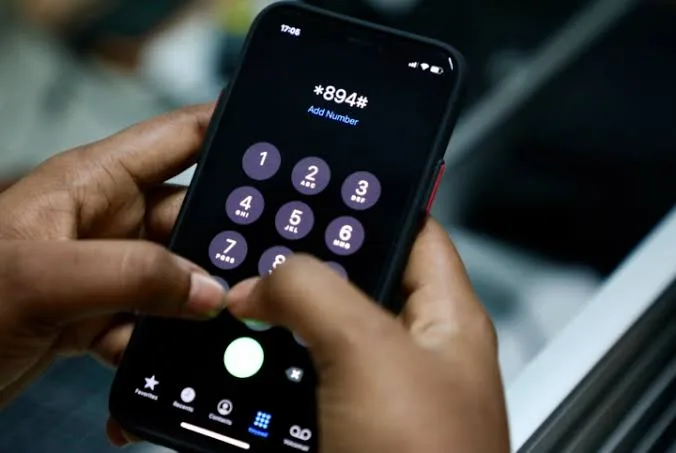
USSD banking is simply an easy way to carry out financial transactions without needing a smartphone or internet connection. Imagine you need to send cash to your friend, pay bills, top up your airtime, or check your balance, and you don’t have an ATM card, data, or even a smartphone. This is where the magic of USSD banking comes in, as they don’t require internet access to work. All you need is a mobile device, which you will use to dial a simple code, and you are good to go. Unlike mobile apps or internet banking that requires smartphones, strong data signals, and sometimes even registration, USSD works on any basic mobile phone (yes, even those old Nokia phones your grandma still uses). It’s secure, instant, and incredibly reliable even in low-network areas, which is why millions of people rely on it every single day. No data wasted, no app updates to worry about, just pure, straightforward banking at your fingertips. USSD Banking Codes: What are They? USSD is short for Unstructured Supplementary Service Data. This technology uses shortcodes that usually begin with (*) followed by a few digits and end with (#) to carry out multiple banking services. They include: How Does USSD Banking Work in Nigeria? In Nigeria, USSD banking is a session-based technology that works by connecting your bank account to your mobile number, using a service provider as the traffic controller. In Nigeria, the service providers are MTN, AIRTEL, GLO, and T2 (formerly 9Mobile or Etisalat). Before you can use your bank’s USSD services, you must have linked your SIM card to your bank account (either using your BVN, bank app, or visiting your bank). Also, you will need to set a USSD PIN to facilitate transactions. How Do I Carry Out Transactions Using USSD Codes? To carry out a transaction using USSD codes, follow these easy steps: N.B.: You might be charged a small fee by your service provider (usually less than #10) when using USSD banking. This fee is usually deducted from your airtime balance, so make sure you have enough airtime before you proceed. Why USSD Banking Works in Nigeria USSD banking works perfectly in Nigeria because it’s tailored to solve the daily challenges of the average Nigerian. Here’s how: USSD Banking Codes for Popular Banks in Nigeria Different banks have different USSD codes for accessing their services. Here’s the codes for some popular Nigerian banks; BANK USSD CODE Opay *955# Palmpay *861# First Bank *894* Union Bank *826# Access Bank *901# Zenith Bank *966# GTB *737 UBA *919# Keystone Bank *7111# Moniepoint *5573# FCMB *329# Fidelity *770# Final Thoughts USSD banking isn’t only one of the most convenient ways to bank; it closes the gap between you and your money no matter where you are in Nigeria and what phone you are using. If your bank’s code isn’t on our list, or you need help setting up USSD banking on your phone, reach out to your bank.
USSD banking: Nigerians preference over mobile banking apps
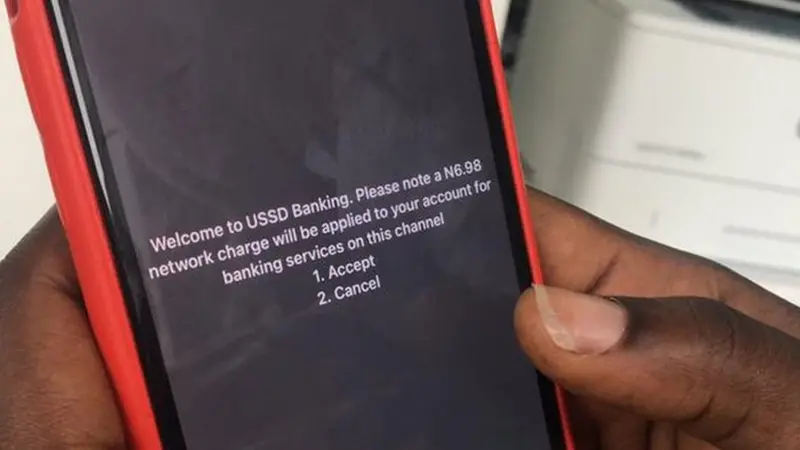
For more than 20 years, banking in Nigeria has slowly moved from long queues and physical bank branches to a world of transaction that lives mostly on phones. In recent times, online banking platforms, mobile apps and contactless payments have shaped the way people manage their money. Nigerians now expect speed, convenience and instant access to their money. However, despite the strong push towards banking apps, Unstructured Supplementary Service Data (USSD) is widely used by many Nigerians. Some believe USSD is “old school” but its popularity is largely tied to issues of trust, accessibility and reliability. Nigerians trust what works consistently. USSD does not depend on internet access, it works on basic button phones like “Tonasobe” as well as smartphones like “Android and iPhone”. In Nigeria, when it comes to money, reliability matters more than appearance. Why USSD is still a banking lifeline for Nigerians USSD is often underestimated by most people because it does not look modern. There are no colourful dashboards or advanced integrations. Yes, it looks very basic but that very simplicity is what gives it staying power. The resilience of USSD among Nigerians depend on its features which are: According to the Central Bank of Nigeria (CBN), between January and June 2024, Nigerians carried out 252 million USSD transactions with a total value of approximately ₦2.19 trillion which is roughly $2.8 billion US dollars (based on an average exchange rate of ₦780 to $1 during that period). At the full year of 2023, 630.6 million USSD transactions was recorded with a combined value of ₦4.84 trillion and about $6.2 billion US dollars. These figures showed that while mobile apps was growing, USSD is still a core part of how millions of people access their money, particularly for users without smartphones or reliable internet access. At the bank level in 2022, major Nigerian banks reported significant USSD activity, for example, Access Holdings processed transactions worth ₦2.4 trillion and $3.1 billion US Dollars. Through USSD, United Bank of Africa (UBA) handled ₦1.56 trillion and $2 billion US Dollars Guaranteed Trust Holding Company (GTCO) processed ₦3.21 trillion and $4.1 billion US Dollars which was slightly down from 2021. Together, these three banks managed roughly ₦7.19 trillion, $9.2 billion US Dollars in USSD transactions for 2022 alone. These figures made it clear that according to CBN, USSD remains more than a “backup” option. It is still a central part of Nigeria’s digital banking ecosystem. This is why many banks across Nigeria, Africa, Asia, and parts of Latin America still see a large share of their mobile transactions happening through USSD. In some cases, it is more than half. Sometimes, the most valuable technology is not the most impressive one, it is the one that quietly keeps working day after day for the people who need it most. USSD vs mobile banking apps: Key differences in Nigeria It might be very easy to think of USSD and mobile banking apps as rivals, but the truth is they each serve their own group of users. Elements USSD Mobile Banking Apps Internet Needed No internet required. Internet needed to use. Device Compatibility Works on all phones, even basic ones, (button phones). Only works on smartphones. Ease of Use Very simple, just dial codes. More options, can be a bit complicated. Speed Quick for simple tasks. Fast but depends on internet connection. Security Safe, no information stored on phone. Safe, users password, pins or fingerprints. Cost Very cheap, no data needed. Can use data which may cost more. Available Transactions Basic actions like, balance check, money transfer, airtime purchase. wide range, e.g. pay bills, view history, make investments. Popularity in Nigeria Still widely used, especially where internet is poor. urban cities, and among smartphone users. Mobile apps are complementing USSD in Nigeria. It is not about clinging to the past, it’s about practicality. USSD gateway providers in Nigeria have helped banks keep a secure, accessible, and affordable way of connecting with millions of customers. Confidence and Regulation of USSD Banking in Nigeria (2018-2025) In Nigeria, USSD has been an important way for people to access banking, especially for those without smartphones or reliable internet, but for many users, trust in USSD depends on clear rules and protection from unexpected charges. In 2018, the Central Bank of Nigeria (CBN) ensured banks resolved USSD transaction complaints quickly, within three days. It was meant to reassure users that if something went wrong, it could be fixed promptly. This was one of the important steps carried out by CBN in building confidence in digital banking. Between 2019 and 2024, a disagreement between banks and mobile network operators came up over who should pay for USSD services which caused some confusion. Customers were often unsure how they would be charged or whether the system was fair. In December 2024, regulators asked banks and telecommunication companies to pay outstanding debts estimated at ₦2.50 billion and they gave clear rules for future charges. This was to restore transparency and reassure users that USSD remained a reliable service. Then in June 2025, the Nigerian Communications Commission, (NCC) introduced a major change. USSD charges would now be deducted directly from users’ airtime rather than their bank accounts, and only with the user’s consent. It was designed to make the cost of using USSD clearer and prevent surprise deductions. The regulators hoped that it will strengthen trust among Nigerians who rely heavily on USSD transactions. These regulatory efforts from 2018 to 2025 clearly shows that regulators are aware that Nigerians need to trust the USSD transaction system by enforcing faster, dispute resolution, clarifying billing, and giving users more control over charges. The aim is to keep USSD safe, reliable, and accessible particularly for millions of Nigerians who depend on it. The Future of USSD Banking in Nigeria In Nigeria, there is a growing interest in hybrid solutions that blend USSD with modern technologies. For example, banks are exploring ways to link USSD with app features or chatbots to give users more options. Right
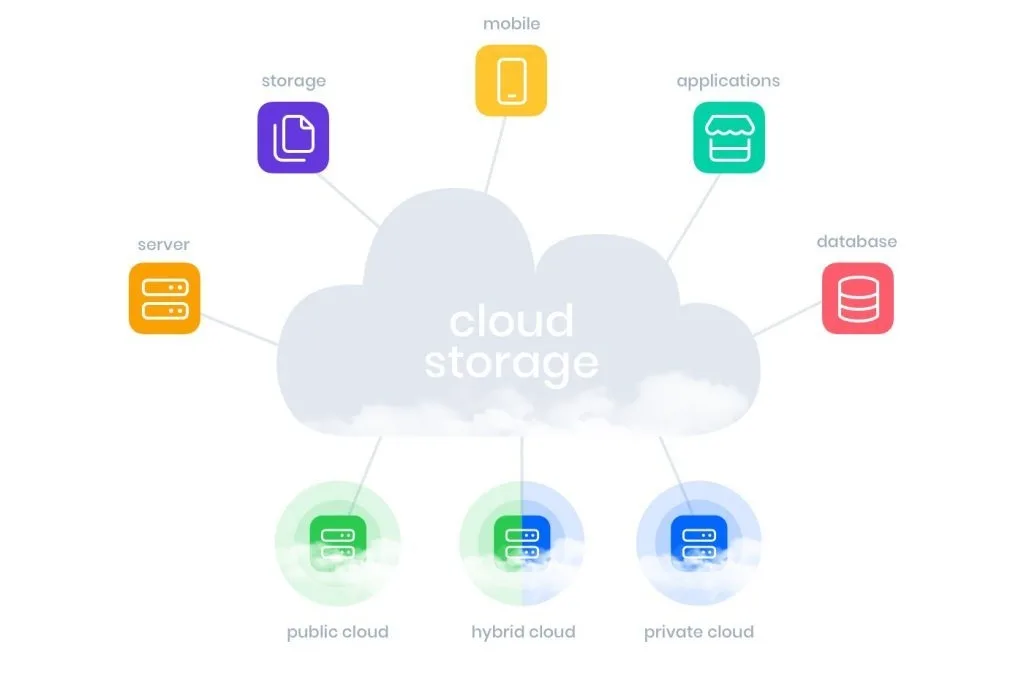
What does ‘Cloud Storage’ mean? Your files are not in the Cloud
Where is your Data kept? When you back up your phone, you probably don’t think too hard about where those files go. Most of us don’t even think about cloud storage until something goes wrong. Your phone suddenly refuses to turn on. It gets stolen. It falls down into water or it just starts acting up one random morning. You panic for a few seconds, then you thank God saying “I backed everything up sha”. You sign in on a new device, and just like that, your photos, contacts, emails, and WhatsApp chats reappear. It feels effortless, just like magic but sincerely, it is not. That “cloud” you trust so much is one of the most misunderstood parts of modern technology and understanding how it really works says a lot about who controls your data, where it lives, and what you’re actually trading for convenience. First of all, the “cloud” is not the internet When people say their files are “in the cloud”, it sounds like the data is floating somewhere in the sky or living inside the internet itself. That’s not what’s happening! Cloud storage simply means your files are saved on computers you don’t own, in places you will probably never see, operated by companies you already rely on, like Google, Apple, Microsoft, and Amazon. Every time you upload files or a photo to Google Photos, back up your WhatsApp chats, save a document to iCloud, or keep files on OneDrive, you are storing data on their machines, not yours. You’re not owning your file storage. You’re simply renting their space for your files to stay. So where does your data actually go? When you upload a file to the cloud, it travels through the internet to a server which is a powerful type of computer that provides data, resources, or services to other software or devices known as clients over a computer network. A server is simply built specifically to store, manage, and deliver data across devices. These servers don’t sit under someone’s desk. They live inside massive, highly secured buildings called data centres. Data centres are scattered across the world. They are located in Africa, Europe, Asia, and the Americas. Inside them are thousands of servers running nonstop, day and night, handling everything from emails and photos to bank transactions and video streaming. Your data does not sit in just one place, either. In most cases, it’s copied and stored in multiple locations. So that, if one server fails or one data centre has an issue, your files are still available somewhere else. This is why you can lose your phone in Sokoto, sign in on a new one, and still find your photos waiting for you. Why do your files follow you everywhere One reason cloud storage feels so effortless is location. Big tech companies like Google, iCloud and the rest try to store your data in data centres close to where you live, so it loads faster but they also spread duplicate copies across regions for reliability. That’s why you can: Your data does not move because you moved, instead you’re just being connected to the nearest copy available. What cloud storage protects you from and what it doesn’tCloud storage is actually very good at protecting your data from: What people don’t know or rarely talk about is, cloud storage does not protect you from: Your files may be safely stored, but access is conditional. If you can’t sign in, your data might as well not exist or be deleted. Who really controls your data? This is the uncomfortable question you don’t usually bother to read about in the terms and conditions. While you create the files, the companies running cloud platforms control your data. For example, such as: They don’t usually read your files, but they do control the systems that hold them. That’s the trade-off most of us ‘accept’ without thinking, we give into convenience in exchange for someone else’s control. For many people, it’s a fair deal. Cloud storage makes modern digital life possible. It keeps memories alive. It saves school work, business records, and years of communication. It’s still very important to understand what you’re relying on. So, what does “cloud storage” really mean? It means your files are not floating in the sky. They are stored on powerful computers, inside real buildings, operated by real companies, spread across the world. Every time you tap “backup,” you’re trusting those systems to remember what your device might forget. And most of the time, they do. But the cloud is not a whiteman’s magic. It’s an infrastructure located somewhere and I hope knowing that gives you a little more power over how you use it.