How to retrieve your SIM card without NIN or welcome back stress is very simple, and we have carefully written out 7 methods to get it done. Losing a SIM card is frustrating and time-wasting. One minute your phone is working fine; the other, no service, and your line cannot be reached. This can happen when your phone is stolen, a lost or damaged SIM card. The process of replacing a lost SIM card in Nigeria is usually tough. One needs a good National Identification Number (NIN), a long queue, and filling of some documents in their office, all for the Welcome Back service. This process is cumbersome to most people, especially those who do not have a NIN. But now it’s easier to retrieve your SIM card without the stress. In this article, you will find out how to activate your SIM card without NIN and forget the long process of the standard replacement. Let’s get started. What is SIM card retrieval? SIM card retrieval is the process of getting back your old phone number in case of a lost SIM card. No one would want to buy a new line since everything that is important to him/her is attached to that old number (contacts, bank accounts, etc.). Most times to replace a SIM, the network providers require your NIN, SIM pack, or a long wait for a welcome back procedure involving biometrics and calls to customer care. Not everybody has the time or patience to do all that. S,o how do we simplify this process? Why do people find SIM card retrieval hard? Trying to get your SIM card back can be a frustrating experience, especially in Nigeria, and there are many reasons behind this. The process is not always easy, I won’t lie, it’s sometimes very stressful. These are the problems that many people face: NIN issues: Not all have enrolled for their National Identification Number (NIN). Even those with it will forget it, lose the slip, or will find it hard to access in the NIMC portal. Most networks will not go to SIM recovery without a valid NIN. Queues: You can end up in long queues when you go to the customer service center. There are cases where you will be waiting to be attended to, sometimes for hours. Only that can demotivate you. Strict Rules: The network providers will require you to provide some papers or information you don’t have, such as your SIM pack, identification card, or registration details. Network issues: They don’t have trouble-free systems. The computer network may be down, and in this case, they will tell you to come tomorrow. Welcome Back pressure: Filling of forms, delays in verification, and you can’t go back if you are left out. Here is what you need for the quickest and fastest way to retrieve your line How to retrieve your SIM card without NIN or welcome back stress Let’s break it down into simple steps and tips. This applies to MTN, Glo, Airtel, or 9mobile subscribers in Nigeria. 1. Call customer care first Before going to the service center, try calling your network provider’s customer care: Call 180 or calling from other lines dial 08031000180. Call 111 or calling from other lines dial 08021500111. Call 121 or calling from other lines dial 08050020121. Dial 200 or calling from other lines dial 08090000200. Tell them you have lost your line and want to get it back. They can question you on one or two things to make sure that the line is yours. Get it right, and they will inform you what to do. In some cases, they might even activate your line back online if your info matches theirs. This saves you the stress of going to their office. 2. Use the SIM swap method with an alternative ID Most network providers allow SIM swap if: Who do you make the most calls to? What plan are you on? (b) And (c) Last time you recharged, and the amount? Once you get these right,t you might not be asked to produce your NIN. Instead, they might ask for any of the following IDs: Bring any one of them and tell the agent you need a SIM swap. In most cases, they will take one good ID and some simple questions. Be polite and bold while answering those questions. Recommended Guide: How to check and monitor your NIN with your phone without going to NIMC office 3. Get your line through bank verification (if your line is linked to a bank) Assuming you had your phone number linked to your bank account, all you need to do is walk into your bank and tell them you have misplaced your SIM card. Most Nigerian banks currently allow you to: If approved, the telecom provider can unlock your number and do a SIM swap without your NIN. Find out if your bank offers this service. 4. Check if your line was linked to BVN or a voter’s card If you used your Bank Verification Number (BVN) to register your SIM, you may be able to recover your line without entering your NIN. Just visit your bank and see if they can help you with the recovery process. Some banks can identify who you are and help you get back to your telecom provider. Again, if you used your voter card when you registered your original SIM, take your voter card to the telecom office nearest to you. They may use it to validate your identity and request a SIM swap that doesn’t require them to ask for your NIN. The whole process is faster and easier when using your BVN or voters’ card as a form of identity. It saves you the long wait and headache of NINs. 5. Visit the nearest service centre with your SIM pack If you have your old SIM pack, carry it to the telecom service center. SIM pack will prove you own the line. You may not need
Top 7 best TV decoders in Nigeria: GOtv, DStv, Startimes & more (2025 list)
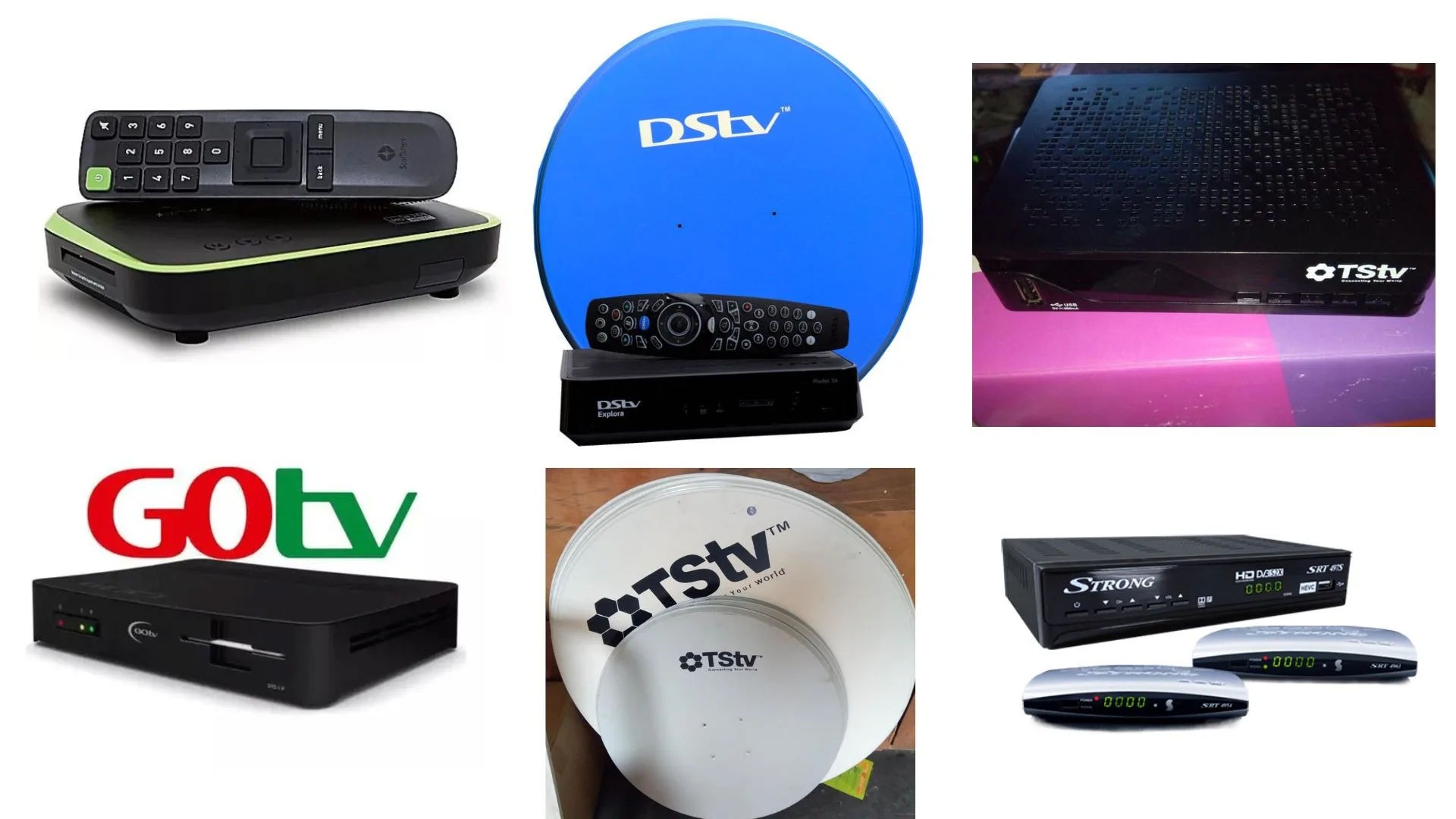
The 7 best TV decoders in Nigeria: Gotv, DSTV, Startimes & more have been explained with their various features and prices for those of us who want to buy a decoder but need an idea to help us get started. TV is the best way to relax, have fun, and learn with your family. Whether you love movies, news, music videos, sport, or entertaining stuff, TV brings people together. However, to have a good viewing experience of these channels, a good quality and performing decoder is required. In Nigeria, you will find many TV decoders to your choice. There are those that are expensive, and there are cheaper ones yet maintain high value. No matter where you live, a busy city or a serene village, there is always a decoder that will meet your needs and fit your budget. In this useful guide, we are going to look at the Top 7 Best TV Decoders in Nigeria 2025. We will tell you about their features, price, and what makes each decoder special. Now come with me, let me show you. Top 7 best TV decoders in Nigeria: GOtv, DStv, Startimes & more (2025 list) 1. GOtv Decoder GOtv is currently the most used TV decoder in Nigeria. It is owned by MultiChoice, the same company that has DStv. Unlike DStv, GOtv uses a small antenna as opposed to a satellite dish. This makes it very easy, convenient, quick, and affordable to install in your home. It is good for those who want to use good-quality channels and don’t want to spend a lot of money in the process. Features: Price: Why people like it: 2. DSTV Decoder DStv is one of the oldest, most popular, and most reliable TV decoders in Nigeria. MultiChoice is behind it, and it owns GOtv. DStv receives its signal through a satellite dish and has a wide range of top-quality TV channels, including many non-local TV channels. It is good for families that want to watch movies, sports, news, and entertainment on local and global stations and enjoy watching them in clear HD. Features: Price: Why people like it: Recommended Guide: How to set up Starlink internet in Nigeria: full cost, installation, and speed test 3. Startimes Decoder Startimes is known in Nigeria as a pocket-friendly and budget-friendly TV decoder. You can buy an antenna and a satellite decoder and choose the one that fits your home. Startimes is the best for those who want to watch digital TV without breaking the bank. It offers a decent number of local and international channels at low subscription fees, so you can have a good time with quality entertainment. Features: Price: Why people like it: 4. FreeTV Decoder (Digital Switch Over Nigeria) FreeTV is a digital television publicly supported by the government, launched in Nigeria as part of the Digital Switch Over (DSO) initiative. It’s designed to give you and other viewers free and cheap television without subscribing to monthly charges for most of the channels. FreeTV has local television channels, in other words, news, entertainment, and educational programs for free. It’s good for a family with a limited budget. Features: Price: Why people like it: 5. TSTV Decoder Telecom Satellite Television (TSTV) is a Nigerian-owned Satellite TV service that brings you local and international channels to enjoy. It gained popularity because of its pay-as-you-watch service, where you only pay for the time you watch TV. This is very cheap and convenient, especially for those who don’t want to spend money to buy a whole month subscription. Features: Price: Why people like it: 6. Strong Decoder Strong is known in Nigeria to provide free-to-air satellite television services. Most of the Strong channels don’t require paying a monthly fee like DStv or GOtv. The product you can buy after buying the decoder and satellite dish is that you will have various free channels like news, religious, music, and foreign stations. It’s a good option if you want to watch TV long-term without paying frequently. Features: Price: Why people like it: Recommended Guide: How to convert airtime to cash in Nigeria Instantly (2025) 7. MyTV Decoder MyTV is a satellite television provider that has been serving Nigerian homes for a long time. It’s also known to give out clean family entertainment that’s enjoyed by all ages. MyTV works in most parts of Nigeria and it has a range of channels, that is, movies, religious, and educational shows. It’s a good option for a family that wants simple, healthy family entertainment without having to deal with complex setup procedures or expensive subscription fees. Features: Price: Why people like it: Conclusion When looking for a TV decoder in Nigeria, it all depends on your budget, location, and the type of entertainment you are used to. There’s something for everyone, from the low-end packages like GOtv, Startimes, and FreeTV to the high-end packages like DStv and flexible packages like TSTV. Strong and FreeTV are good options if you live in the country or want free channels. Sports lovers, movie lovers, and kids’ TV channels can go for DStv or GOtv. Always check what channels you need before buying one, and also ensure the signal is strong in your area. Those days when we waste our time on low-quality TV are gone; it’s now hard to get cheap and quality TV entertainment. Now you see, this list of 7 TV decoders in Nigeria has made it easier for everyone.
How to set up Starlink internet in Nigeria: full cost, installation, and speed test
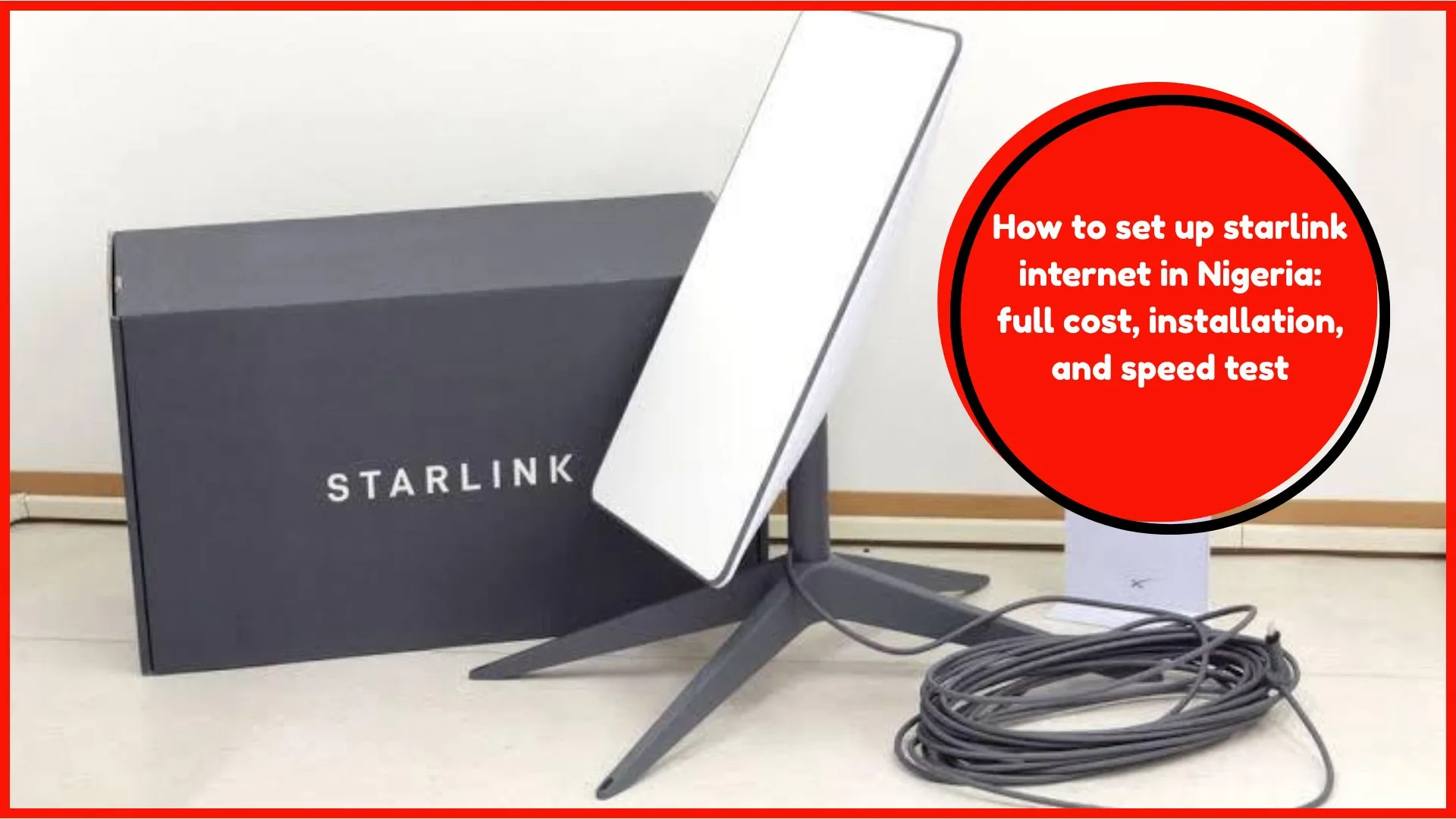
Do you want to know everything about how to set up Starlink Internet in Nigeria: full cost, installation, and speed test? Then read on to find out how. If you are in an area where the internet is slow or not working. Or maybe you’re tired of MTN, Airtel, or Glo’s bad network. Then Starlink is the solution to your problem. Starlink is a satellite internet. Which company invented it? SpaceX. Who is the founder? It’s Elon Musk – the owner of Twitter. Starlink is considered one of the fastest because the satellite was installed directly into space. Not like the usual internet we have been using, which uses wires, cables, or towers. Starlink can give you internet access in areas that other networks can’t cover since it’s the last mile. That’s why it’s one of the best to consider when you live in a rural area or village in Nigeria or even a small town. In this post, we will be explaining in simple terms how to install Starlink Internet in Nigeria, the cost, the installation, and how fast it is. This guide is easy to follow and useful if you want to buy Starlink at your home, office, school, or farm, for those of us who have a satellite to monitor activities on our farm. Is Starlink available in Nigeria? Yes, Starlink offers service in Nigeria. It began in early 2023 following the approval of the Nigerian government. It is widely used today by many people in the country, in such cities as Lagos, Abuja, Port Harcourt, Kano, and even in villages and other rural locations. Starlink has its official website where you can order a Starlink device and ship it to your location in Nigeria. How to order Starlink in Nigeria Ordering Starlink is very easy. Follow these steps: Once you have initiated payment successfully, your Starlink package will arrive at your location within a period of 2 to 4 weeks, which is a 7 to 30-day period for arrival. Recommended Guide: How to detect fake Android phones in Nigeria before you buy What you get in the Starlink box When the package arrives, it will contain: How much does Starlink cost in Nigeria? Here is the full cost of getting and using Starlink in Nigeria in 2025: Item Price (in Naira) Starlink Device (Dish + Router) ₦440,000 Shipping and Delivery ₦30,000–₦50,000 Monthly Internet Subscription ₦38,000–₦42,000 So your down payment will be around 480,000 -500 000 depending on your area. After that, you pay 40,000 Naira/month to continue using the internet. This price can increase and decrease based on the value of the dollar. Visit the Starlink site to see the current price. How to set up Starlink in Nigeria Setting up Starlink is easy. You don’t need a technician if you can follow simple steps. Step 1: Unbox the Kit To unbox it all, you have to do is to open the Starlink package, and then you will see stuff like the dish, router, cables, and stand – remove them. Step 2: Find a Good Spot When the above has been done, now what you have to do is to place the dish in a location that has access to a clear sky without any form of obstruction. Placing it close to objects like trees, buildings or walls won’t allow it to get a quality signal. The dish needs a clear sky to link to the satellite. Step 3: Connect the Cables Step 4: Download the Starlink app online Trusted platform, you should download this app is on the Google Play Store or the App Store. Any other platform is a gamble. Why do you need this app? It helps you control the dish positioning during setup.. The app will also help you set everything up and notify you that the dish is connected. Step 5: Phone/Laptop Connectivity Setup Once Starlink is active, it will be shown on your phone. Once you see that, switch on your Wi-Fi either with your phone or pc, it will connect and you can start using it right away. Speed test: How fast is Starlink in Nigeria? The internet speed you get from Starlink is very fast. Most users in Nigeria say they get: What is Starlink download speed? 100 Megabyte per second to 200 Mbps What is Starlink files upload speed? 15 Megabyte per second to 30 Mbps So you can: You can use www.speedtest.net to check how fast your Starlink is working. Is Starlink better than MTN or Airtel? Yes, in many ways. Feature Starlink MTN/Airtel Speed Very fast Average Works in rural areas Yes Sometimes Monthly cost High Lower Installation Self-install Plug and use Reliability Very stable Not always stable Starlink is better if you live in an area where mobile networks are weak. But if you already have a good MTN or Airtel 4G, you can still use it if you are on a budget. Starlink pros and cons in Nigeria Pros: Cons: How to use Starlink for business or school If you run a business, school, clinic, or farm, Starlink can help you do more online. You can: You can even share your Wi-Fi with neighbors and collect small payments to cover your monthly cost. Can I move the dish? Yes, you can move it. But it’s advised that you make changes to the location by updating the current location in the app for it to connect. This is what is called Portability. It is allowed in some plans and not others. And if you travel frequently (say, you work on a farm or camp), you can order a mobile plan at Starlink: this will allow you to use the dish off-grid anywhere in Nigeria. Best practices to carry out for Starlink to function effectively Recommended Guide: 10 best cheap Android phones in Nigeria under ₦50,000 (2025 Guide) FAQs Q1: Can I pay in naira? Yes, the Nigerian bank card is accepted. Starlink operates in US dollars, but your bank will convert that amount to
How to convert airtime to cash in Nigeria Instantly (2025)
Converting airtime to cash is a problem for many of us here in Nigeria. The first reason is that we may not know the trusted platforms. There may be times when you won’t even think of exchanging airtime for real money. Moreover, even when we can, the fear of being scammed paralyses us; we may have lost airtime to a dummy app or person previously. Besides, it’s time to be real, some of these services are too expensive, and you lose a high percentage of value. And then some of us have slow internet or phones that are not compatible with new apps. While some don’t find it simple enough. So we don’t feel secure or sure when using these platforms. That’s why you have to go back to simple, tested methods that work and recommend others to do the same. This guide will show you how to do that; how to sell airtime to money-making websites and get the money sent to your bank. Come with me, let me show you how it’s done. What does “convert airtime to cash” mean? Airtime to cash means converting your airtime to real money that can be sent to your bank, to another person, or used to buy what you want online. It will enable you to turn your unused airtime value into something more useful and flexible. This is useful if: Can i convert airtime to cash in Nigeria in 2025? Yes! It’s very possible to convert airtime to cash in Nigeria in 2025. With the new and better mobile apps, websites, and digital services, you can turn your airtime into real money in minutes. These channels will give you the cash you need fast, safe, and easy, straight to your bank account or digital wallet. These platforms will allow you to: But you must use trusted services to avoid being scammed. Recommended Guide: How to get back a hacked Facebook or WhatsApp account in Nigeria (Step-by-Step) How to convert airtime to cash in Nigeria Instantly (2025) Here are the best and easiest ways to turn your airtime into money: 1. Use airtime to cash apps Mobile apps are available to help Nigerians convert airtime to cash. The apps are easy to use, and anyone can quickly and securely complete the steps to do so. They are compatible with all networks in Nigeria, including MTN or Airtel, Glo, and 9mobile, so no one has difficulties accessing this service, and it’s available to all Nigerians. Some apps in 2025 include: a. Tingtel b. AimToGet c. Zoranga Note: make sure you only install apps from Google Play Store/or Apple Store. Do not use random links. 2. Use airtime to cash websites If you don’t want to download apps, you can visit websites. Examples: Steps to follow: These websites charge a small fee (like 10%-20%). There are small companies in Nigeria that accept airtime and pay you back in cash. They are called VTU agents or airtime vendor companies. They help you turn unwanted airtime into real money because they will buy the airtime at a discounted price and transfer the equivalent amount to your bank account or mobile wallet. Steps: Note: Only use vendors you trust. Some might not send the money. How much money will you get? You don’t always get 100% of your airtime. Most platforms take a small charge. Airtime Amount Average Cash You Receive Platform Fee 1,000 800 to 900 Naira 10–20% 2,000 1,700 to 1,800 Naira 10–15% 5,000 4,300 to 4,500 Naira 10–15% The higher your airtime, the better the rate. Benefits of converting airtime to cash Things you should be careful about Even though it is easy to convert airtime to cash in Nigeria, there are some risks. 1. Scammers Watch out for fraudsters. Some impersonate as actual platforms only to rob you of your airtime. They can make up websites or message you and ask you to trust them, and you send the airtime first. Don’t do that. With apps or websites, make sure they are very widespread and have positive reviews, along with the real contact details. 2. High Charges Other airtime-to-cash services are very expensive. You may end up receiving a fraction of what you paid for airtime. Ensure to make a better consideration by researching how much they will charge and comparing it with other platforms before using these platforms. 3. Fake Apps Never download Apps on WhatsApp or Telegram. They are usually fake. When you are downloading, use the Google Play Store or the Apple App Store, as it is always safe. How to know if a platform is safe Before you use any airtime to a cash platform, check the following: If the answer is yes, it is likely a safe platform. Recommended Guide: How to detect fake Android phones in Nigeria before you buy Step-by-step: How to convert mtn airtime to cash using Tingtel (example) Here’s how to convert MTN airtime to cash using the Tingtel app: Conclusion Selling airtime in Nigeria has been very popular this 2025, and it’s never been easier. Unused airtime can be converted to cash with the help of trusted apps, websites, and VTU agents who will help you send the money straight to your bank account. But here, one should be careful and use only proven platforms with good reviews. Don’t ignore scammers, hidden charges, and don’t use third-party sources to download applications. These services are very helpful when you are in a rush, need to pay a friend, or mistakenly recharged. Now that you know how it works, you don’t have to waste your airtime again. Start now and cash out your airtime anytime you need some cash. Helpful FAQs Q1. Can I convert Glo airtime to cash? Yes, you can cash out Glo airtime using most airtime-to-cash services in Nigeria. But it should be understood clearly that Glo airtime conversion platforms charge more than MTN or Airtel. Q2. Is the service available at night? Yes, you can cash airtime services 24/7.
How to get back a hacked Facebook or WhatsApp account in Nigeria (Step-by-Step)
It is very important to know how to get back a hacked Facebook or WhatsApp account in Nigeria, especially in case of an emergency. We have Facebook and WhatsApp in Nigeria, which we use daily, to chat, to exchange pictures, to keep in touch with family and friends, and even to operate our businesses. And, unfortunately, there are bad people (so-called hackers) who may enter your account and take it away. This is quite painful and frightening when they use your account to cheat other people or to write something that is not originally from you. No need to panic, though. If your Facebook or WhatsApp account is hacked, there is always hope as there are practical measures that you can adopt to recover the account and prevent your account from getting hacked in the future. We will show you how to retrieve any of those accounts in case you feel somebody has access to it, or you are no longer able to log in there. Do you need to be a computer expert? No, you don’t have to be one because the guide is simple enough to be understood by all. Just follow this guide, and you will be back to your account in no time. What is a hacked account? A hacked account involves your account being unlawfully accessed by another party without your consent. They could go ahead and change your password, delete your email or phone number, and block you out. That is why it is not easy to use the account or recover it in case you are not aware of the actions to perform. When such hackers get access to your account, they will begin sending a message to your contacts on your behalf. Ways hackers use to have access to your account without your knowledge? Here are some simple ways that you may not be aware of: Recommended Guide: 10 best cheap Android phones in Nigeria under ₦50,000 (2025 Guide) How to get back a hacked Facebook account in Nigeria (Step by Step) Okay, here we get to the very steps on how to recover a hacked Facebook or WhatsApp profile. Step 1: Attempt to log in Open your browser or type www.facebook.com and open the Facebook application on your phone. Try to log in with your phone number or email and password you use. If the message says you can log in, go to settings and lock your account before it gets out of hand. Step 2: use the ‘forgot password’ option in case you are not able to log in, do the following: Step 3: report the hacked account to Facebook If the hacker has your mail password or log in to your number, or you can no longer get the verification code to reset your password, don’t panic. It can still be done. Just follow these steps to report that your Facebook account was hacked and start the recovery process. Step 4: verify your identity (if needed) In case the hacker deleted your email address or phone number from your Facebook profile, then Facebook might not allow you to reset your password that easily. In this case, they might request you to identify yourself. You could also be requested to provide some personal information that will assist in proving that you are the owner, or with evidence. This step helps Facebook know you are the real owner. Step 5: secure your account Once you recover your account, do these immediately: How to get back a hacked WhatsApp account in Nigeria (Step by Step) Step 1: Try logging into WhatsApp again If someone has taken over your WhatsApp: After you have logged in, the hacker will automatically have his log out. Note: Never disclose the 6-digit code to any person. Recommended Guide: How to detect fake Android phones in Nigeria before you buy Step 2: Contact WhatsApp support when you are not able to log in When the hacker has enabled Two-Step Verification on your WhatsApp, then he/she must have entered a secret PIN, which you have no knowledge about. This will prevent your access to log in to your account, even when you have the code sent to your phone. This will prevent you from logging in even when you have the right verification code. Once this happens, you will need to do the following to recover your account. Write an email to: support@whatsapp.com In your message write: Type your phone number but include the +234 sign followed by the number. Niger number start from 0, remove the 0 and only allow the ther numbers to follow e.g 8012345678. In this case, you will be left with 10 numbers instead of 11. Now add +234 to the numbers, so you will have “+2348012345678” Provide also a short text where you explain everything about how your WhatsApp account was hacked. Please request them to disable the Two-Step Verification and help you in restoring your account. Example email: Subject: Hacked WhatsApp account, please help Hello, WhatsApp Team, I am [Your Full Name]. I also lost access to WhatsApp via the number +2348012345678; this account was hacked. Please assist me to regain the account and remove the Two-Step Verification in case it is enabled. Thanks for assisting. [Your Name] Step 3: temporarily disable your WhatsApp (if it’s required) In case the hacker uses your WhatsApp to send text, and you cannot restore it immediately, you may request that WhatsApp disable it. Don’t forget to add your phone number in international format. This will stop the hacker from using your WhatsApp while you recover it. Step 4: Reactivate your account after 7 days Upon deactivation of your WhatsApp account, it is expected that you must log in again but within a period of 30 days. Your account and data may be deleted in case of a longer delay. Even while waiting, you can be trying from time to time to see if you can regain your account through the verification code WhatsApp sent
How to check and monitor your NIN with your phone without going to NIMC office
If you don’t know how to check and monitor your NIN with your phone without going to NIMC office, then this article is here to show you how you can do it yourself with your phone. You will stop going to the NIMC office to verify your NIN or resolve any issue again once you know what to do. The days of getting out of your house, traveling long distances, or waiting in a queue at their office are over. Is it difficult? No, it’s not. You don’t even need a special gadget, except your mobile phone, to check and monitor your NIN. Whether it’s an Android phone or an iPhone, it doesn’t matter. It’s also compatible with all SIM GLO, Airtel, MTN, or 9mobile. Now let’s guide you through step by step on how to do all this with your phone wherever you are. What is NIN? We have to define what NIN means before we get into how to check your NIN, because not everyone knows what it means. Now, NIN is an abbreviation that means National Identification Number. It’s an 11-digit number assigned to all citizens by the National Identity Management Commission (NIMC) upon registration. This figure is quite significant as it indicates that you are an individual with recognition on the part of the Nigerian government. Your NIN is your ID number. It makes the government better aware of your identity. You will be required to do a lot of things such as opening a bank account, acquiring a new SIM card, obtaining a passport or even securing a job. This is why one has to keep it safe. You need your NIN to: So, it’s very important to have your NIN and know how to check and monitor it at all times. Why you should monitor your NIN Many individuals have a NIN that they do not know how to verify or ensure that they are correct. Some people misplace their NIN slip or forget the number. That is why one should learn how to track it through their phone. Here are reasons to monitor your NIN: Now, let’s show you how to check and monitor it. Recommended Guide: How to detect fake Android phones in Nigeria before you buy How to check and monitor your NIN with your phone without going to NIMC office You can do it through your mobile phone by following these simple steps. No internet connection and smartphone required. You can do it fast and easy even with a small button phone. The process is very simple and fast to a large extent since you can do it anywhere and anytime. Checking your NIN through your phone is now easy for all whether at home, in office or anywhere. 1. Use the NIN USSD code The easiest way to check your NIN is by dialling a short code or as we call it USSD directly on your phone. This can be done on any phone and you don’t need internet access at all. Here’s how to do it: Steps to check your NIN with USSD: Note: This only works if you have already registered and your SIM is linked to your NIN. Important: This costs ₦20, so make sure you have airtime. 2. Use the NIMC mobile app The National Identity Management Commission (NIMC) has made it very easy for you to check your NIN by offering a free mobile application that allows you to do so. You can also get an electronic version of your national ID card and be able to update your personal information using just your phone with this app. Steps to use the NIMC app: This app is very helpful because you can: How to check your NIN details from your phone Besides checking your NIN number, it’s also very important to check your personal information regularly. This helps you to keep all your information updated and accurate and also keeps you safe from identity mistakes and frauds. Here’s how to do it: 1. Use the NIMC app to view your personal details After logging into the NIMC Mobile ID App, you can: 2. Check if your NIN Is linked to your SIM Government has made it mandatory for every phone number to be linked to NIN. Here’s how to check if your NIN is linked: For mtn users: For Airtel users: For Glo users: For 9mobile users: If not linked, the network will guide you on how to do it. Recommended Guide: Nigerians can now update national ID details online via new NIMC self-service portal How to save your NIN After you can verify and track your NIN, it’s also good to save it. Here are the ways to save your NIN: 1. Write your NIN on a paper and put it in your wallet or purse. 2. Print your NIN or save in your phone notes or list under Contacts. Just call My NIN. 3. Print the digital NIN slip and use it physically with NIMC Mobile App. What to do if you forgot your NIN If you forgot your NIN or lost your NIN slip, don’t worry. You can get it back. *Option 1: Dial 346# Again Just dial *346# using the same phone number you registered with and your NIN will appear. Option 2: Visit the NIMC App Log in to the NIMC App again with your phone number and OTP and you’ll see your NIN. Common NIN problems and how to fix them Sometimes people face NIN problems. Let’s see the common ones and how to solve them. Problem 1: NIN not showing after dialing 346# Problem 2: NIN is not linked to SIM Problem 3: wrong information on NIN Safety tips for your NIN Your NIN is very sensitive so you must protect it from fraud and misuse. Here are some tips: Conclusion Now you know how to check and track your NIN using your phone without going to NIMC office. This is so simple it takes just