Almost everyone wants to get free movies, use less data, and stay updated without stress. Telegram has turned out to be one of the best places where all this is possible. No longer just for chatting, everyone is using it as a source of valuable tips, free products, and following channels that deliver value to you daily. Telegram can be your best friend when you have MTN, Airtel, Glo, or 9mobile and are always trying to save data or get the latest Nollywood movies. You have channels that will teach you how to browse freely, download movies, or fix minor issues with your phone, all for free. This article gives you the best 10 Telegram channels you should check out. They are trusted by thousands of Nigerians, and they update it regularly with something useful. Top 10 Telegram channels every Nigerian should join for free movies, data tips, and updates 1. NGMoviesNet Category: Nollywood MoviesSubscribers: 27,000+Link: t.me/ngmoviesnet NGMoviesNet is one of the most active Nigerian movie channels on Telegram. They post full-length Nollywood movies, Yoruba and English movies. From new releases to old classics, you will find movies uploaded daily with minimal ads. Their collection ranges from romantic dramas to epic action movies that you can’t find on mainstream platforms. Why Join: Recommended Guide: How to bypass “your device isn’t compatible” on Google Play Store in Nigeria 2. NetworkPalava™ – Free Data & Internet Tips Category: Data Tips & Cheat CodesSubscribers: 23,000+Link: t.me/networkpalava NetworkPalava is one of the biggest Telegram channels for internet cheat codes, free browsing tricks, VPN config files, and affordable data plans. They cover MTN, Airtel, Glo, and 9mobile. The admins test the codes before sharing, and many users leave feedback on working solutions. Why Join: 3. NollyTV Plus Category: Nigerian Movies & SeriesSubscribers: 19,000+Link: t.me/nollytvplus NollyTV Plus curates Nollywood movie drops across genres – romance, thriller, comedy, and more. They also have Nigerian drama series and family-friendly content. Their updates are usually on weekends, so it’s a good one for those who want to relax at home. Why Join: 4. TechAfresh NG Category: Mobile Tech & Data HacksSubscribers: 13,000+Link: t.me/techafresh TechAfresh is a Nigerian tech channel that breaks down complicated topics into simple steps. From Airtel YouTube night plans to Glo double data tricks, they give regular updates on working data hacks. The guides are beginner-friendly and often come with screenshots. Why Join: 5. Swift Movie Room Category: African and Foreign FilmsSubscribers: 58,000+Link: t.me/swiftmovieroom Swift Movie Room shares a mix of African cinema, Hollywood, Bollywood, and K-Drama. If you want variety beyond Nollywood, this channel has got you covered. It’s good for families or roommates with different movie tastes. Why Join: 6. Movie Club NG Category: Film Downloads & ReviewsSubscribers: 45,000+Link: t.me/movieclubng Movie Club NG is for quick movie download links, often with thumbnails, reviews, and genre tags. You can find new releases and old classics. They sometimes provide movie summaries or top picks of the week. Why Join: 7. Telegram NG Tips Category: Telegram Platform UpdatesSubscribers: 8,000+Link: t.me/telegramtipsng This channel helps Nigerian users understand Telegram’s features, security tips, bots and how to use lesser-known tools like MTProto proxy or channels automation. It’s a space for both regular users and business owners. Why Join: Recommended Guide: How to block spam and flash messages from MTN, Airtel, Glo (quick code method) 8. Naija Free Data Corner Category: Free Browsing & Proxy ServersSubscribers: 12,000+Link: t.me/naijafreedatacorner If you’re looking for MTProto proxies, DNS tricks, or SSH tunneling tips, Naija Free Data Corner has practical guides and server links. Their admin team also answers technical questions in the group chat. Why Join: 9. Cinema Zone Nigeria Category: General Entertainment MoviesSubscribers: 30,000+Link: t.me/cinemazoneng Cinema Zone is about African content, seasonal TV shows, and entertainment news. The channel is popular among Gen Z and university students. They also offer weekend binge lists and trending movie topics. Why Join: 10. GSM Crib Nigeria Category: Phone Tricks & Mobile NewsSubscribers: 9,000+Link: t.me/gsmcribng A channel for mobile phone reviews, Android tweaks, and cheap phone deals in Nigeria. Also covers free browsing methods and network updates. Their Android tips include battery-saving hacks and performance boosters. Why Join: Why are these telegram channels worth joining? 1. Consistency and accuracy All of the channels above keep their audience on a regular updated. Some channels, such as NetworkPalava and TechAfresh, are channels where people find working solutions that have been tried and tested. Regular updates make users aware of opening data opportunities and entertainment. Local These applications are Nigerian-managed, and applied in the Nigerian language, and on Nigerian service providers. They resolve daily issues such as high data subscription plans, phone restrictions, and a lack of streaming. 2. Easy and user-friendly Compared to most foreign Telegram groups that are either cluttered or spam more than useful, the Nigerian channels are user-friendly and do not necessitate the application of sophisticated technology. Most of them are straightforward with instructions, hence everybody can enjoy the content. 3. Community In some channels, there are live chats or a comment section where the members are involved in a live conversation, sharing tricks or leaving feedback, or requesting help. They are more than content boards; therefore, they are communities of learning and support. FAQs Q: Are such channels legal? Of course, it is not illegal to join a Telegram major channel. However, this could infringe certain conditions by downloading movies without the copyright license. Always take precautions and be safe on the net. Q: Are these channels free of charge? No. There are no charges on any channels. However, to access some websites, you may be required to install a few applications or VPNs that can be used. Q: Where can I access such channels on Telegram? Open Telegram, go to search, and write the correct name (e.g., @networkpalava). Make sure Q: Will these data cheat codes damage my phone? No, by proper use. However, never download an app that you have no idea about or follow a suspicious link. Never go outside of
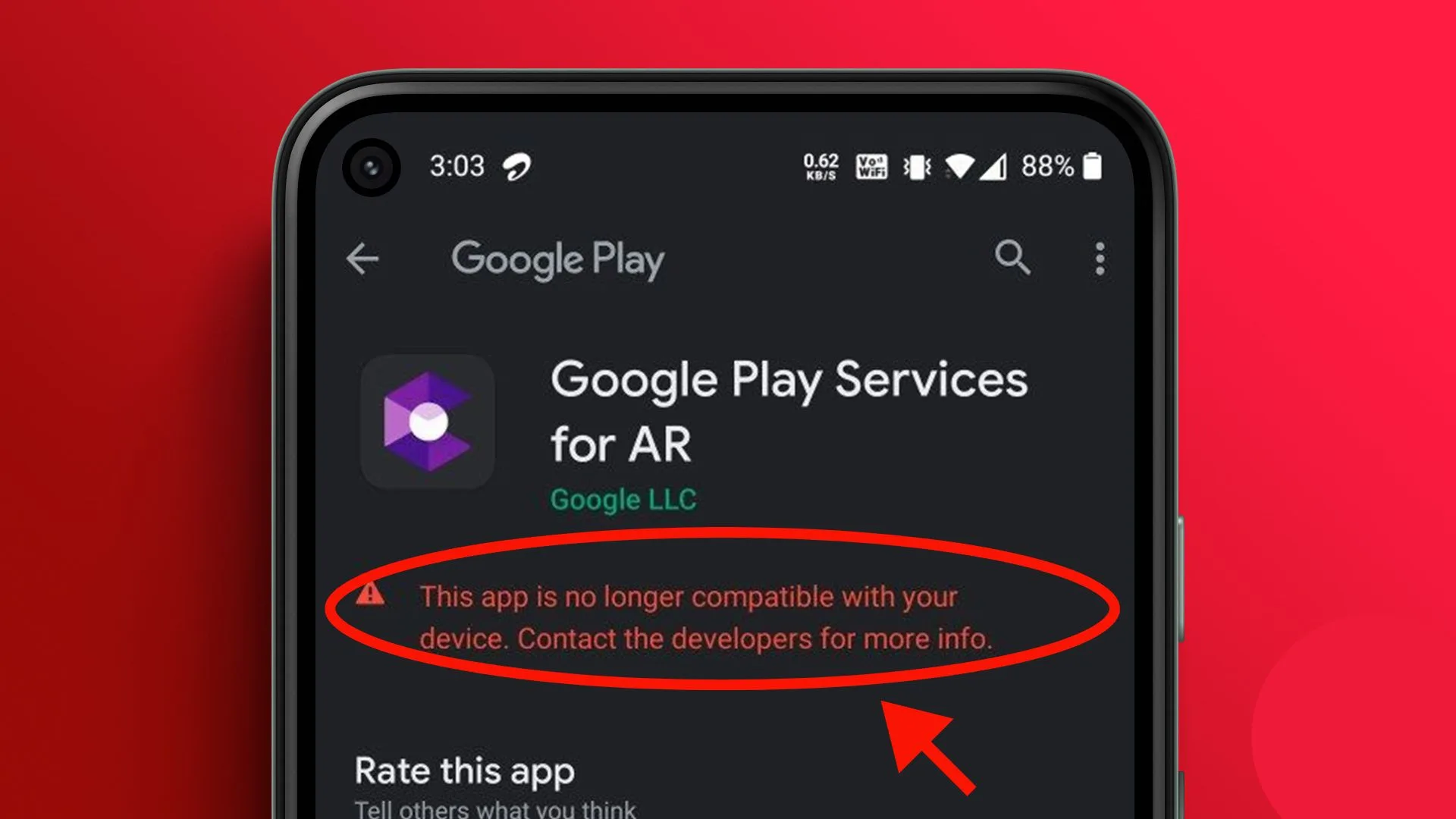
How to bypass “your device isn’t compatible” on Google Play Store in Nigeria
You can now learn how to bypass “your device isn’t compatible” on Google Play Store in Nigeria from this article. Have you been trying to install an app on Google Play Store, and you get the message below, Your device is not compatible with this version? This is not something new to many of us; you are not the only one. This is a very irritating error you see, and it happens when your phone is in the best shape and conditions and the app requirements are being met. It even prevents you from downloading a helpful app like banking apps, games, etc, or even necessary education or occupation apps. For many Nigerians, this issue comes up even on new phones or phones with enough memory and space. There are real and working ways to fix this problem. You don’t need to be a tech expert to solve it. In this complete guide, we’ll show you how to bypass “Your device isn’t compatible” on Google Play Store in Nigeria using easy steps anyone can follow. Just take your time, follow each method carefully, and you’ll be back on track. Recommended Guide: Best apps to hide photos and videos on your Android or iPhone (no root) How to bypass “your device isn’t compatible” on Google Play Store in Nigeria This is the most important part. Go step by step. It’s not necessary to do everything. Start from the top and stop when it works. 1. Clear cache and data of Google Play Store Sometimes, the Play Store is showing old or wrong data. Here’s how to clear it: Steps: Open Play Store again and try to install the app. 2. Update Google Play Services and Play Store An outdated version of Google Play Services can cause errors. Steps: This refreshes your system and can fix compatibility errors. 3. Uninstall Play Store updates Older phones do not always work with new updates. Steps: 4. Use a vpn to change your location Some apps are not available in Nigeria. A VPN can help bypass this. Steps: Make sure your VPN is still connected during the download. 5. Download apk file from a safe website When Play Store tells you that your device is incompatible, manually install the app. Steps: Your app should now install successfully. 6. Check device certification Google blocks apps on devices that are not certified. Steps: Fix: Use a certified ROM or upgrade your device to one with Google certification. 7. Update your Android system (if possible) Some apps don’t support older Android versions. Steps: When there is no update, you can take custom ROMs such as LineageOS (only for advanced users). 8. Install from a different Google account Sometimes your current Google account causes issues. Steps: 9. Try a different device or emulator If nothing works, the problem may be your device’s hardware. Solution: This is not very mobile-friendly, but it is usable as a last resort. Recommended Guide: How to convert airtime to cash in Nigeria Instantly (2025) Tips to remember to prevent this mistake in the future FAQs Q1: Why does my Play Store say the app is not compatible in Nigeria? This might be because the app is not available in Nigeria, your Android is not updated, or your phone is not Google verified. Q2: Is it okay to download apps from APK sites? Yes, but only those I can trust, e.g., APKPure and APKMirror.. Avoid unknown sites. Q3: Can I fix this without rooting my phone? Yes. All the methods above don’t require root. Rooting is not recommended unless you know what you’re doing. Q4: Will a factory reset help? Sometimes yes, but it should be your last option. Try the other methods first. Q5: What VPN to use in Nigeria for the Play Store? You can try ProtonVPN, 1.1.1.1, or Windscribe. Free plans are enough for this purpose. Conclusion Seeing the message that your device is not compatible with the Google Play Store is very annoying, especially when you are in Nigeria and need the app to complete a task at work, school, or as a daily activity. It may prevent you from using valuable apps, limit your choic,e and even make your phone irregularly useless. Don’t worry, you’re not alone. You can fix this by doing it in several working methods. With this guide, you won’t wonder how to bypass Your device is not compatible on Google Play Store in Nigeria again because it’s easy if you follow the instructions. The fact is, you have ways out: clearing cache, using a VPN, installing APK files, and so on. Access safe sites, keep your phone updated, and share this guide to help more people.
Top 5 recharge and get paid apps in Nigeria – are they legit or a scam?
There are many top recharge and get paid apps in Nigeria; the only challenge people face is the inability to know if they are legit or a scam. Do you want to make money using only your smartphone? Such a strategy as app-based earning on the condition of Recharge and Get Paid has gained popularity. Through these sites, you can buy airtime, airtime, purchase data, pay an electricity or cable bill, and get rewarded. It’s easy to imagine: you do normal things in your daily routine: you recharge your phone or make others recharge, and you get a small commission. But there are many such apps out there that promise quick money, so the question is on the mind of many people: is it a legit app or is it another internet scam? Would you trust them with your money and personal information? Here you get the whole truth in this article. We look at the best 5 Recharge and Get Paid apps in Nigeria, how they work, the users’ comments, and most importantly, whether they are real or not. This is the article you need if you are looking for a reliable guide. Recommended Guide: How to convert airtime to cash in Nigeria Instantly (2025) What is a recharge and get paid app? A Recharge and Get Paid app is the mobile app through which you can: Such sites are built as mini-agencies or resellers. More money can be earned the more you use the app or people you invite. But not all of them are real. How to know a legit recharge and get paid app Before using any particular platform, you should consider: Avoid programs or apps that are shady and promise unfeasible things in such a short time, or the ones that have no indication of the actual company existing. Top 5 recharge and get paid apps in Nigeria – are they legit or a scam? This is a good and clean list of the top 5 apps to recharge and earn in Nigeria. 1. Palmpay App Palmpay is included in mobile airtime and data purchases, pay bills, bank transfer, QR code payments. It also has a cashback system, daily rewards, virtual cards and a referral program. Users can also open a saving account at competitive rate of interest. Features: Pros: Cons: Verdict: Palmpay is good for customers who want to make money while making their daily transactions including airtime recharge and bill payment. 2. Moniepoint App Moniepoint offers agency banking services, POS, bill payments, airtime sales and transfers. It is designed for small business owners and agents. It has transaction summary at the end of the day, dispute management and real time notifications. Features: Pros: Cons: Verdict: Moniepoint is a platform for agents and small business owners who want a secure, fast and profitable platform. 3. Opay App (using airtime recharge feature) Scam or Legit: Legit How It Works: Opay is not a typical recharge and earn money app, but you can use it to get cashback and refer people. When there’s a promo, you get bonuses and a percentage. Features: Pros: Cons: Go for it or not? Opay is legit, under CBN, and can be used safely. You can save, but won’t earn much money. 4. VTU.ng- Recharging App Is it legit or a Scam? Legit. How It Works: On VTU.ng, you can buy airtime, data, pay bills, and get commissions. It’s common among students and small business owners. Every time you recharge using your account, you earn the amount. Features: Pros: Cons: Verdict: Yet, VTU.ng is real and one of the most trusted in Nigeria 5. Recharge and Get Paid (RAGP) Categories: Legit but with caution How It Works RAGP is one of the oldest in this category. You sign up, top up, and do a percentage. Referrals are also possible, and you can have bonuses when the people you referred recharge too. Features: Pros: Cons: Verdict: RAGP is not very active like before, but legit. If you are not good at referring, you don’t get much. 6. JumiaPay Legit or Scam: Legit How it works: JumiaPay is another multi-functional app where you can buy airtime, data, and pay bills, and get cashback. They offer minor rewards for using the app and referring friends. Features: Pros: Cons: Go for it or not? JumiaPay is reliable. Good for users who want to save, not for those who want to make money. 7. Zoranga Legit or Scam: Legit but not for beginners. How It Works Zoranga is an airtime-to-cash platform. You can exchange airtime to cash using it. You can also sell data and do VTU services. Features: Pros: Cons: Go for it or not? Zoranga exists, but it’s more suitable for advanced users and developers. Not for regular customer who wantsa casual recharge and reward process. Recommended Guide: How to detect fake Android phones in Nigeria before you buy How do recharge and get paid apps make money? Many people ask how these companies are making money from the same. Here’s how: Red flags to watch out for When you see any of these signs, you must be very careful: Just remember, when something sounds too good to be true, it is. FAQs Q1. Can I really make money with these apps? Yes, but don’t expect to be a millionaire. As long as you are active, you can earn a small commission or cashback by referring your friends. Q2. Which app has the best commission? Rates are cheap in VTU.ng or RAGP, but the latter is cheaper when you refer others. Q3. Do I have to pay before joining? Some are free, and some are low-fee to install the app. Never sign up without checking. Q4. Can I install multiple apps? Yes, you can try out different apps to have more earning opportunities. Q5. Which app has the best value for saving, not earning? JumiaPay and Opay are good for saving via cashback and discounts. Conclusion The Nigerian recharge and get paid world
Top 10 cheapest data plans in Nigeria right now (MTN, Airtel, Glo, 9mobile)
With the cheapest data plans in Nigeria right now for MTN, Airtel, Glo, 9mobile, there is no more worry of not being able to subscribe. We all use mobile data daily, including me. Whether it is chatting on WhatsApp and emailing or scrolling through funny videos on TikTok or binge-watching a movie on YouTube, all this has become a daily routine and involves data. However, since the cost of living has been increasing, not everyone can afford high-priced data bundles. That is why Nigerians are constantly trying to find cheap, reliable, fast, and affordable data plans. If you are a student, an entrepreneur, a job hunter, or just an ordinary person who likes to stay online, you need an internet connection that does not run out so fast or experience. This guide shows you the top 10 cheapest data plans in Nigeria right now from top networks like MTN, Airtel, Glo, and 9mobile. These plans work on Android, iPhone, MiFi, and even small phones. We picked them based on price, volume, and how long they last. Let’s help you save money and stay connected without stress. Recommended Guide: How to check and monitor your NIN with your phone without going to NIMC office Top 10 cheapest data plans in Nigeria right now (MTN, Airtel, Glo, 9mobile) 1. Glo N500 for 1.35GB (1 day) Glo is known for cheap data bundles. With N500, you get 1.35GB valid for 1 day. Perfect for people who need fast internet for a short time. Glo has one of the cheapest data plans per megabyte in Nigeria. 2. Airtel N500 for 2.5GB (2 Days) Airtel Nigeria offers great value with this plan. For N500, you get 2.5GB of data valid for 2 days. This plan is better than daily bundles if you want extra time. 3. MTN N300 for 1GB (1 day) MTN has a pocket-friendly plan that gives 1GB for N300, valid for 24 hours. One of MTN’s most useful short-time bundles. 4. 9mobile N500 for 1.5GB (1 day) If you’re on 9mobile, this plan gives you 1.5GB for N500, valid for one day. 9mobile data is super fast, though the volume is smaller than Glo or Airtel. 5. Glo N1,000 for 3.9GB (14 days) For longer validity, Glo offers 3.9GB for N1,000, valid for 14 days. Perfect for people who don’t use heavy apps daily. 6. MTN N1,200 for 4.5GB (30 days) Light user plan. You get 4.5GB for N1,200, valid for 30 days. MTN is the most stable network in Nigeria. Go for it. 7. Airtel N1,000 for 3GB (30 days) Airtel steady plan. For N1,000, you get 3GB valid for 30 days. This plan is for light internet users. 8. 9mobile N1,000 for 2.5GB + free focial (30 days) 9mobile gives 2.5GB for N1,000 and free access to social apps like Facebook, WhatsApp, and Twitter. This plan is for both internet browsing and social activity. 9. Glo special data offer: N200 for 1.25GB (sunday plan) Glo has a Sunday-only data plan that gives you 1.25GB for N200. This is the best plan if you use more data on weekends. 10. Airtel night plan: N100 for 500MB If you browse more at night, Airtel’s night plan gives 500MB for just N100, from 12 am to 5 am. This is the cheapest data plan in Nigeria when used wisely. How to make your data last longer Here are simple ways to make your data not finish quickly: Saving data gives you more value, even from the cheapest plan. Things to consider before choosing a data plan Before you subscribe to any of these plans, ask yourself: Your responses will guide you in selecting the right plan that suits you. Recommended Guide: How to detect fake Android phones in Nigeria before you buy FAQs Which is the network with the least expensive data plan in Nigeria? Answer: Glo has the cheapest plans in terms of volume and price. For example, N500 can give you over 1GB, and N1,000 gives almost 4GB. Q2: What’s the best data plan for students? A: N500 worth 2.5GB in Airtel and N1,000 worth 3.9GB on Glo are exactly for the students who must learn to be cost-effective with their internet and at the same time be consistent. Q3: Is it possible to roll over unused data? Answer: Yes. Most networks also give you the option of rolling over leftover data when you renew before the existing plan expires. Q4: Which plan is best for downloading movies? Answer: Glo’s Sunday plan (N200 for 1.25GB) or Airtel’s Night Plan (N100 for 500MB) are great for downloading large files without breaking the bank. Q5: Are there free data bonuses? Answer: Yes. Some of the networks that are known to provide you with a recharge bonus data on their own apps or when they run a promotion are MTN, Airtel, and 9mobile. Conclusion In Nigeria, data is now equally important as any food or light bill. Be it hustling online, watching movies, being connected with friend,s or school work, one has to have a plan that suits the pocket. This guide exposes you to the best 10 most affordable data plans in Nigeria today, along with details on how to subscribe to the plans, plus the individual(s) to whom the plans are recommended. Always make sure that you have the best network where you live, and then choose the best terms according to your daily or monthly use.
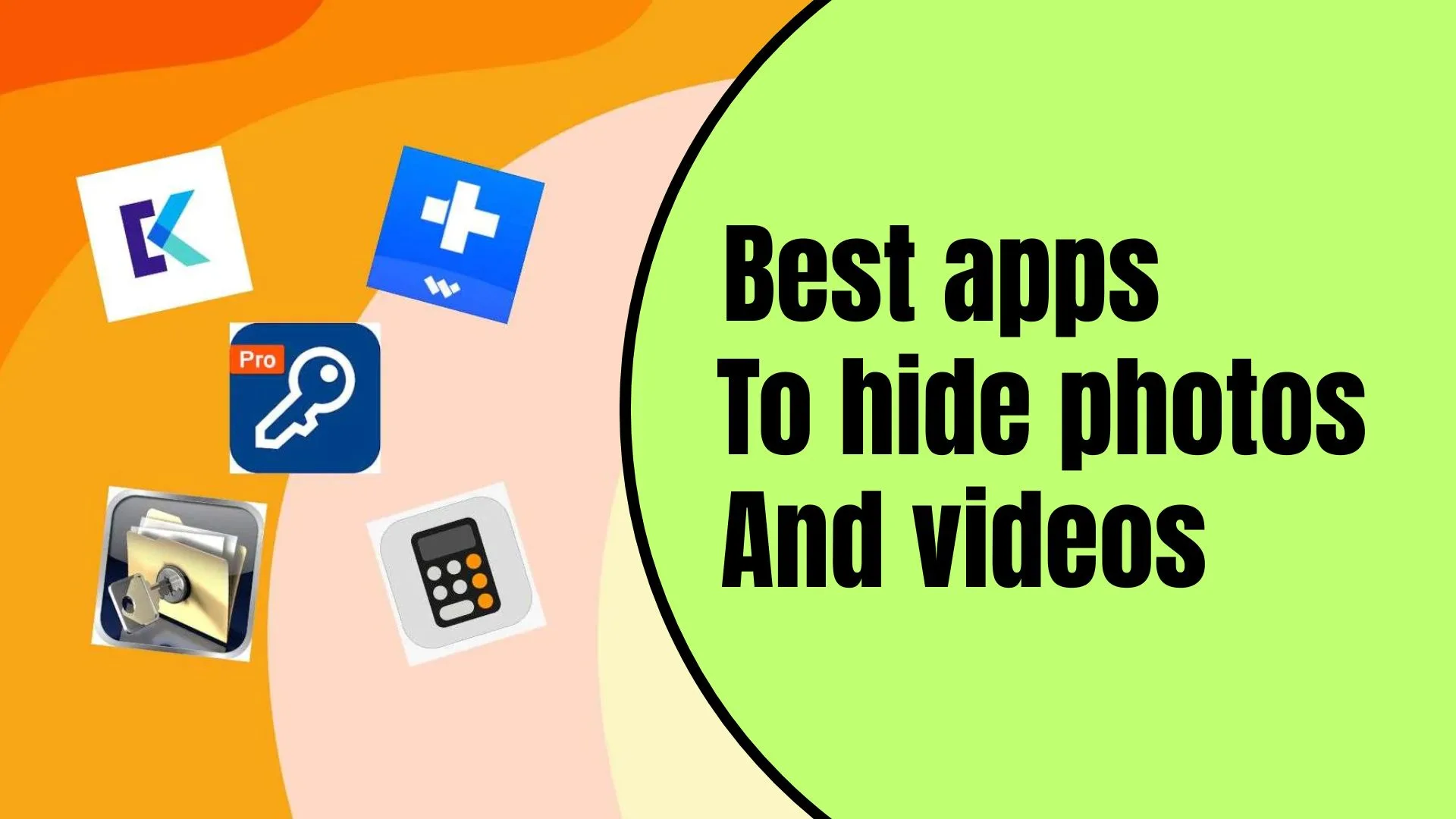
Best apps to hide photos and videos on your Android or iPhone (no root)
Want the best apps to hide photos and videos on your Android or iPhone? We always take so many photos, capture our own personal videos, and download stuff we prefer to be kept private. There are also cases when we do not want other people to know about and to view some particular files, and then it is useful to have such kind of application that can hide them and keep them safe. It may be personal memories, personal shots on your phone, vital work files or something you simply do not want people to access when they use your phone. This is why many people now look for apps to hide photos and videos without root. You don’t need to be a tech expert or root your phone to protect your media. Simple apps that can hide your photos and videos in a way that others can’t access do exist. These apps are so easy to use, they look normal on your phone and run in the background. In this article, we will look at some of the best apps you can use and why they are the best solution for your privacy. Recommended Guide: Top 7 best TV decoders in Nigeria: GOtv, DStv, Startimes & more (2025 list) Why do you need to use a photo and video hider app We’re getting to the list of apps, but first, let’s explain why using the apps is a good idea: You don’t need to be a hacker or root your device. The apps we list work on regular phones. Best apps to hide photos and videos on your Android or iPhone (no root) 1. KeepSafe Photo Vault Keepsafe is one of the most popular apps to hide photos and videos. It works on both Android and iOS. Features: Why it’s good: Keepsafe is easy to use. It looks like a calculator or a normal app, so nobody will suspect it. It also lets you recover files if you lose your phone. 2. Private Photo Vault Another great app is Private Photo Vault, especially good for iPhone users. Features: Why we like it: Private Photo Vault takes privacy to the next level. It takes a photo of anyone who tries the wrong password. If you’re serious about privacy, this is a good one. 3. Vault – hide pics & videos Vault is a full privacy app that hides photos, videos, apps, and even messages. Features: Why it’s good: You can hide the app icon itself. So even if someone takes your phone, they won’t know you have a vault installed. 4. GalleryVault – hide pictures and videos GalleryVault is fast, simple, and powerful. Works great on Android. Features: Advantage: The app hides in plain sight and lets you browse safely, too. You don’t need to root your device. Everything works smoothly and secretly. 5. AppLock by DoMobile Lab Though AppLock is mainly known for locking apps, you can use it to lock your gallery or photo apps as well. Features: Why should you have it? Using AppLock, it will be possible to lock any application that displays your photos, or videos. So your media is hidden without moving it. 6. Hide Something Hide Something is simple and easy for Android users who want to hide photos. Features: Why it’s cool: Hide Something has a clean design and doesn’t alert others. It can also hide files using Google Drive, so you never lose them. 7. LockMyPix Secret Photo Vault This is a military grade vault that protects your media with AES encryption. Features: Best part: Your photos are not just hidden – they are encrypted. So even hackers can’t access them without the right key. 8. Sgallery – hide photos & videos Sgallery is great for Android users who want security with style. Features: Extra point: It works as a calculator. If someone opens it, they won’t know it’s a vault unless they know the secret code. 9. Photo Vault – hide photos This app is more common among iPhone users. It is basic, clean, and does the job. Features: Why it stands out: You can take photos inside the vault so they never show up in the public gallery. Recommended Guide: How to set up Starlink internet in Nigeria: full cost, installation, and speed test 10. Secure Folder (Samsung only) If you have a Samsung phone, you already have a tool. Features: Benefit: It’s free, official, and very secure. No need to download a third-party app. Just enable it from settings. Why these matter This section covers the main keyword. All the apps above don’t need root. Rooting your device can harm your phone, void your warranty, or make your phone vulnerable to hackers. These apps work on Android and iOS as is. They offer top-notch privacy, a simple interface, and peace of mind. You don’t need to pay for most of them either. Many have free versions that are good enough for daily use. You can upgrade to additional features in case you required. The recommendation to protect your personal photos and videos The following are some points to keep in mind: FAQs Q1: Is it possible to hide pictures without using any app? Well, some phones, such as Samsung or Xiaomi, offer such a tool as Secure Folder or Second Space installed. Q2: Are these apps free? The basic versions of most of them are free. Better plans lead to security and storage. Q3: If I uninstall the app, is it possible to lose my files? Yes you will lose your files. Whenever aborting the vault app, always revert your files to the general storage. Q4: Is it possible to use one app on both Android and iPhone? There are apps such as Keepsafe and Private Photo Vault that are cross-platform. Q5: Is hiding of photos and videos legal? Yes, you can keep your privacy legal. But remember, do not hide something illegal using these apps. Conclusion Your phone is like your second brain. It holds your
How to block spam and flash messages from MTN, Airtel, Glo (quick code method)
Come and learn how to block spam and flash messages from MTN, Airtel, Glo by yourself easily. Those annoying messages have to stop. Do you get those annoying pop up messages on your phone that just show up on your phone? The callers that say something like You have won N1, 000,000 or they say you have to subscribe to something you don’t want? They are called flash messages or spam messages, and they are very annoying. There are times they steal your airtime so you can’t even press something. It happens to many people, and it’s one of the most common mobile problems in Nigeria today. You are not alone. By the end of this week, you will have received one of such messages, whether you are on MTN, Airtel, or Glo. The good news is you don’t need to go anywhere to download a special app or tool to stop them. In this guide, we are going to show you how to block them in minutes. They are methods approved by network providers themselves, which can work in seconds. Recommended Guide: Top 5 browsers that use the least data in Nigeria (tested and ranked) What are flash messages and spam messages? Flash messages are the pop-up notifications that show up on your screen and disappear in a few seconds. They are not saved in your inbox, and you don’t need to open them as they are presented. A spam message refers to an unwanted message from the network or a third party. They will sell you something, ask you to subscribe, or tell you about a promotion that is not relevant to you. Both of these kinds of messages are annoying. Others will even access services on your line without your consent. Why you need to block these messages You need to block flash and spam messages because: Now that you know the dangers, let’s check out how to block them on MTN, Airtel, and Glo using the short codes. How to block spam and flash messages from MTN (quick code method) 1. Stop flash messages from MTN MTN sends too many flash messages about games, caller tunes, and promos. Here are the ways to stop them: Method 1: MTN flash menu Method 2: DND code This will stop all unsolicited messages and calls from third-party services. Method 3: MTN customer care Tip: Unsubscribe from anything you do not use simply by calling *305 from the active subscriptions. How to block spam and flash messages from Airtel (quick code method) 1. Stop flash messages from Airtel Airtel flash messages come from “Airtel Live” or “Fun Portal”. Method 1: Airtel flash menu Method 2: DND SMS code Method 3: Airtel app (optional) If you have the Airtel app, go to Manage Services and deactivate any service that is running. How to block spam and flash messages from Glo (quick code method) 1. Stop flash messages from Glo Glo also sends many unwanted messages and push alerts. Method 1: Glo flash code Method 2: DND SMS code This blocks all unwanted SMS ads and spam alerts. Method 3: customer care Dial 300 and ask to deactivate all promotional messages and flash popups. What happens after you use the quick codes? After using the above codes: It may take a few minutes or even an hour to take effect. Confirmation SMS will also be sent to you by some networks. How to check and unsubscribe If you lose airtime after blocking the flash and spam messages, you may have some subscriptions you are not aware of. Here’s how to check and cancel them: Follow the instructions and disable what you don’t need. Recommended Guide: How to retrieve your SIM card without NIN or welcome back stress FAQs Q1: Will I still get bank or government notifications? Yes. Blocking spam or flash messages does not stop bank alerts or NIN updates. Only promotional and marketing messages are stopped. Q2: Do these quick codes cost anything? No. All codes on this site are free. There will be no charge for sending SMS to 2442 or calling short codes. Q3: What if the messages don’t stop? If messages still come after you’ve done these steps: Q4: Can I block flash messages on a new SIM? Yes. It doesn’t have to be an old SIM, even a new one, just activate it and send STOP to 2442 or use the right short code of your network. Conclusion Another way is to control your phone by blocking out the spam and flash messages, where you don’t have to waste airtime on things you never requested. Not only are those messages distracting, but they can lead to unwanted subscriptions and withdrawals and simulated fraud. They can be stopped on MTN, Airtel, or Glo using the steps below with the codes in this article. It’s free and it doesn’t take too much time (a minute or two). Once you do this, you’ll be free to use your phone without pop-ups and annoying offers. Don’t wait till you lose your airtime again. Share these codes with your friends and family and let everyone be in control of their mobile experience. Peace of mind is just an SMS away.